

What is an Optimization Seed?
When you create a new job in MaxCut, a random optimization seed is generated. This seed acts as an identification number for the specific layout produced during optimization. The seed helps MaxCut reproduce the exact same arrangement of panels whenever the same seed and job settings are used.
Will changing the optimization seed improve my results?
Changing the optimization seed may produce a different layout, but the differences are usually minor. It’s important to note:
The total wastage may remain the same.
MaxCut always aims for the lowest possible wastage, so even with different seeds, the optimizer might reach the same wastage level.Layouts may look different even with identical wastage.
Panels might be placed in different positions, and the offcuts produced may vary.
When would I use a different seed?
If you want to explore slight variations in layout
If you prefer a different arrangement of offcuts
If you're troubleshooting a layout that seems unusual and want to see alternatives
Generating a New Seed
You can manually generate a new optimization seed at any time. This will trigger MaxCut to recalculate the job using that new seed.
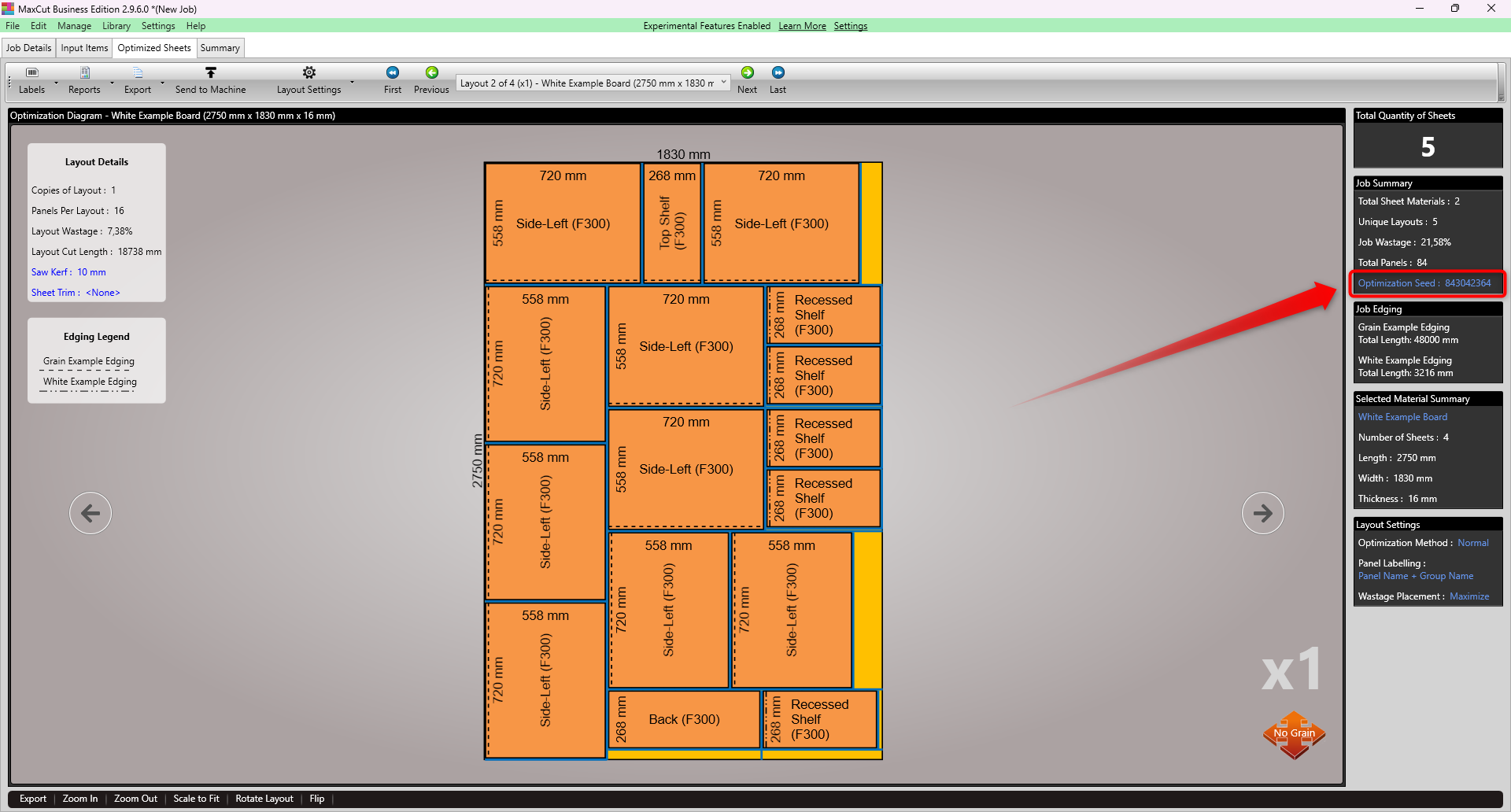
To do this, on the Optimized Sheets tab, click on the Optimization Seed hyperlink:
Click on New Random Seed, then Save.
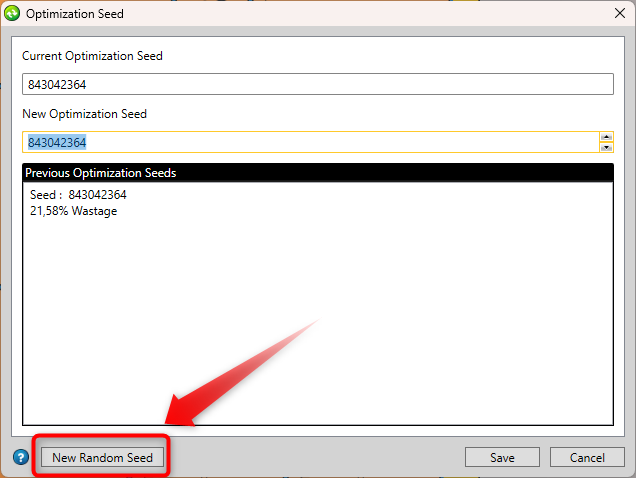
The Optimization will update to show the updated results. You can go back to a previous seed at any time by opening the Optimization Seed dialog (see Step 1) and selecting one of the Previous Optimization Seeds from the list.
NOTE: Once the job is saved and closed, it saves with the last seed generated. All previous seeds will be cleared.
Repeatable Results
If you use the same optimization seed, and all other job settings remain unchanged, MaxCut will always produce the same layout. This is useful if you need consistent, repeatable results. For example, when sharing jobs between team members or if your results change when reopening a job.
If you run into any issues or have any questions, contact us.