

MaxCut Support Page

Learn how to get the most out of MaxCut with our comprehensive support articles. Find answers to common questions, step-by-step setup guides, and troubleshooting tips.

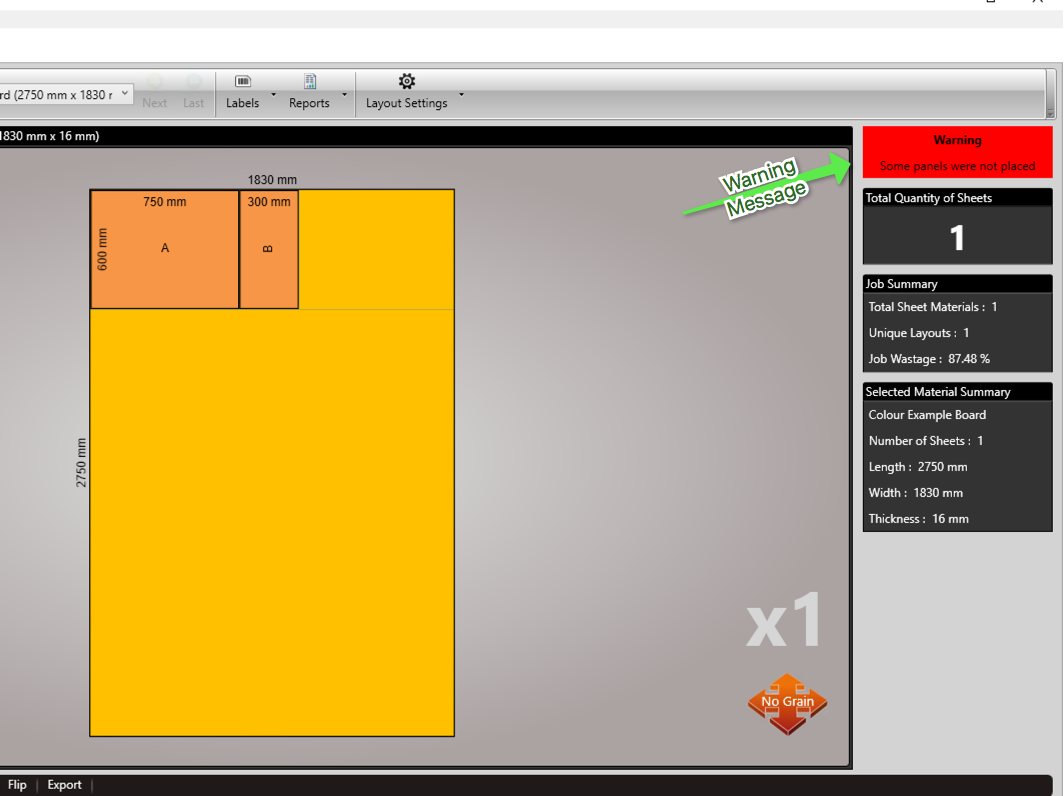
Warning message: "some panels have not been placed"

Support & Troubleshooting

Warning message: "some panels have not been placed"

This article explains why MaxCut shows the warning “some panels have not been placed,” what typically causes it, and how to identify which input items could not be placed in your optimization.

Last updated on 17 Aug, 2026

I get the warning message "some panels have not been placed", what does this mean?
Image

This means one or more input items were not able to be placed based on your optimisation settings.

Usually this means an input panel was too large to be placed on a sheet.

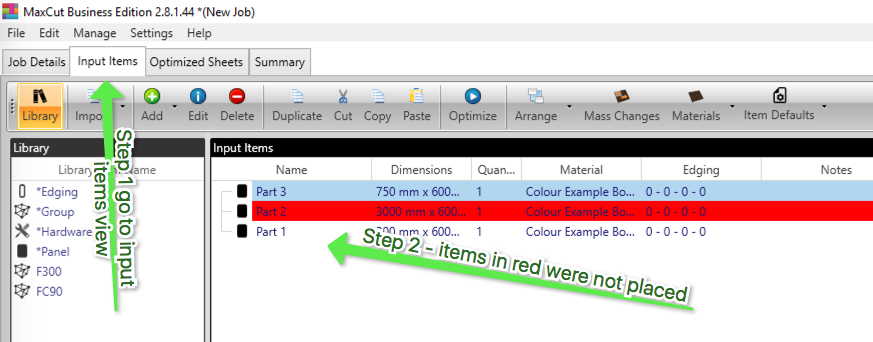
To identify which items go to the input items tab

Check which input items are in red - these are the items not able to be placed.
Image

Was this page helpful?
Previous

How to Get Support

Next