

You can access and download your MaxCut invoices through the customer portal. Click the link below to access the portal:
If you need help logging in or managing your subscription, refer to our guide by clicking on the link below:
Managing Your MaxCut Business Edition Subscription
Downloading Your Invoices
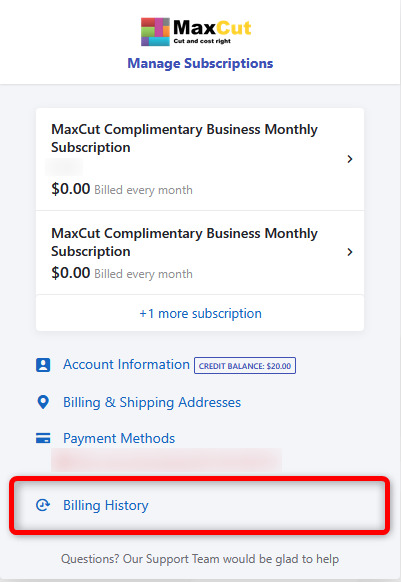
Once logged into the portal, click on Billing History.
You’ll see a list of all your invoices along with their relevant dates. Click Download next to the invoice(s) you wish to download.
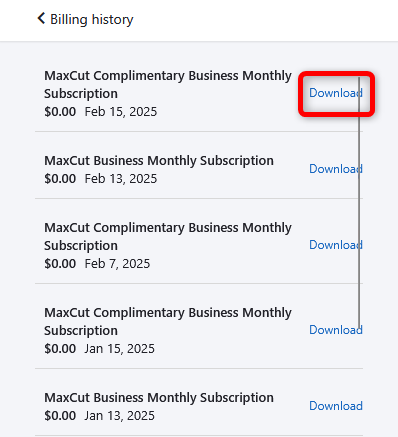
Your invoice will be downloaded as a PDF for your records.
If you have any issues accessing your invoices, feel free to contact our support team by emailing support@maxcutsoftware.com.