

Important Note
Deactivating your license or clearing it off your machine does not cancel your subscription. There isn't a way to cancel your subscription within the MaxCut application itself. To cancel, please use one of the two options below.
Option 1: Cancel Through the Customer Portal
You can also cancel your subscription directly through our Customer Portal.
Log in to the Customer Portal. Click here to see how:
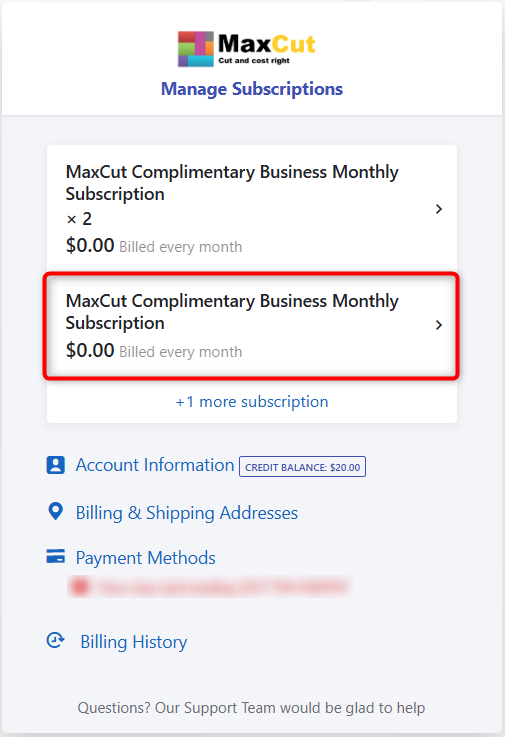
Managing your MaxCut Business Edition SubscriptionClick on the subscription you'd like to cancel.
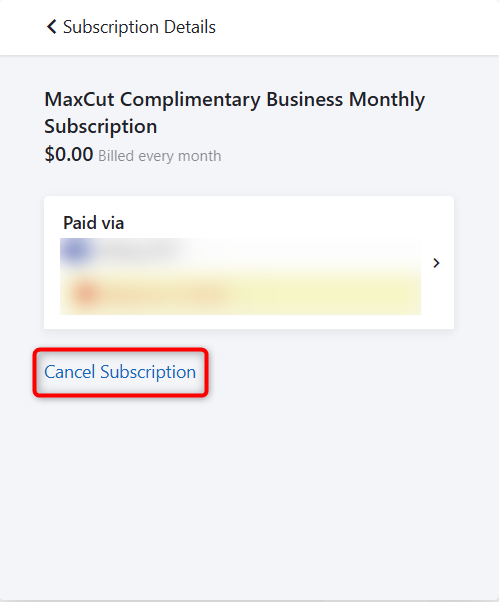
Click Cancel Subscription.
Enter a brief reason for cancellation and click Confirm Cancellation.
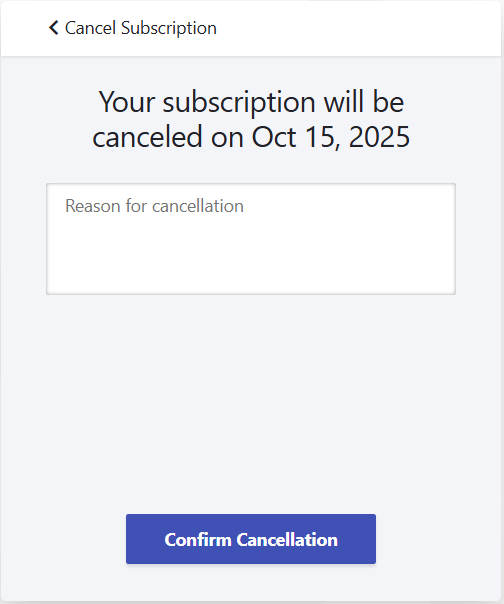
Your subscription will be set to cancel at the end of your current billing period. It will not renew automatically, and your license will expire at the end of that period.
Option 2: Cancel by Email
You can request cancellation by emailing us at support@maxcutsoftware.com.
In your message, please include:
Your company name/email address used to subscribe
And your subscription ID (found on your invoice or in MaxCut under Help > License Information)
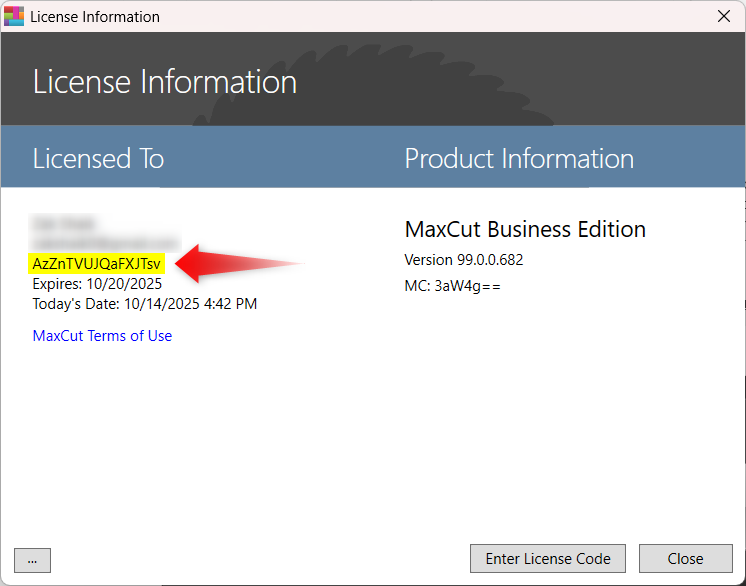
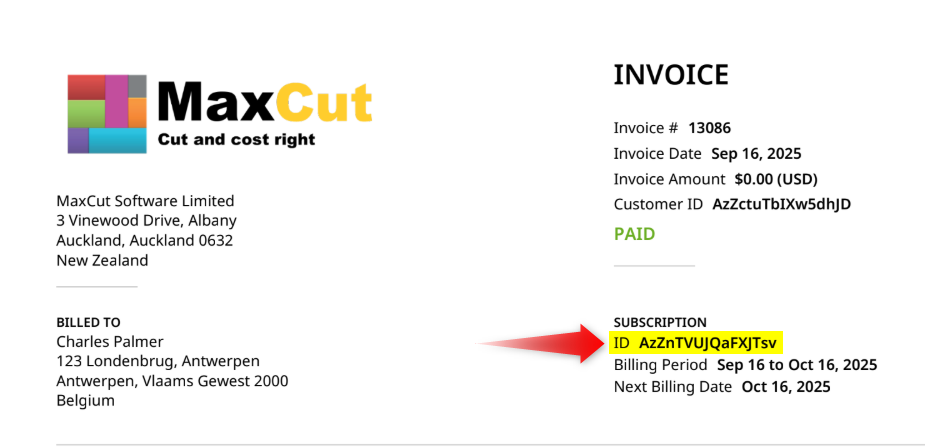
Once we receive your request, we’ll process the cancellation and confirm by email.
What Happens After Cancellation
You’ll still have access to all Business Edition features until your current subscription period ends.
After that, your license will revert to the Community Edition of MaxCut.
You can resubscribe at any time to regain access to Business Edition features.
If you have any questions, don't hesitate to contact us at support@maxcutsoftware.com.