

If you run into an error that says the "settings file is corrupt", follow these steps to reset it:
1. Open the ProgramData folder
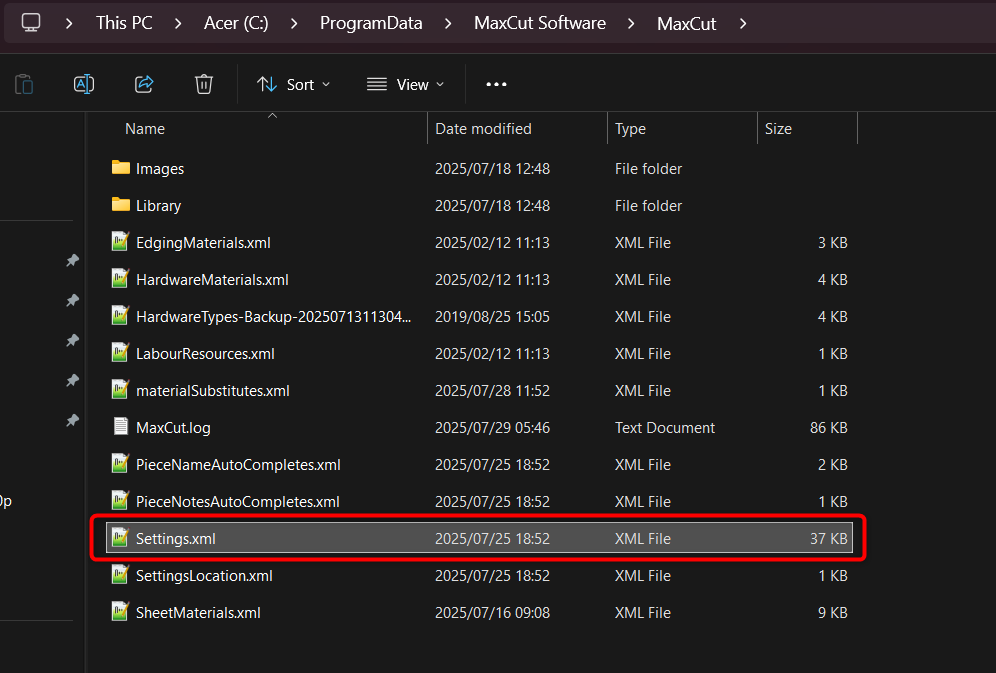
Go to:
C:\ProgramData\MaxCut Software\MaxCut
Note: The ProgramData folder is hidden by default.
To view it in File Explorer:
Open any folder
Click the View tab
Check Hidden items
2. Delete the settings file
Inside the MaxCut folder, delete the file named:Settings.xml
3. Reopen MaxCut
Open MaxCut again. You'll be guided through the Simple or Advanced Setup.
4. Review your settings
Once MaxCut is open, go to Settings to confirm everything is correct.